
01
Upload
Bring an OBJ, FBX, GLB, STL, or PLY model into the browser and inspect its geometry before processing.
Turn heavy 3D models into lightweight, production-ready assets for games, the web, AR, visualization, and real-time experiences.
50 free credits · No card required · OBJ, FBX, GLB, STL & PLY
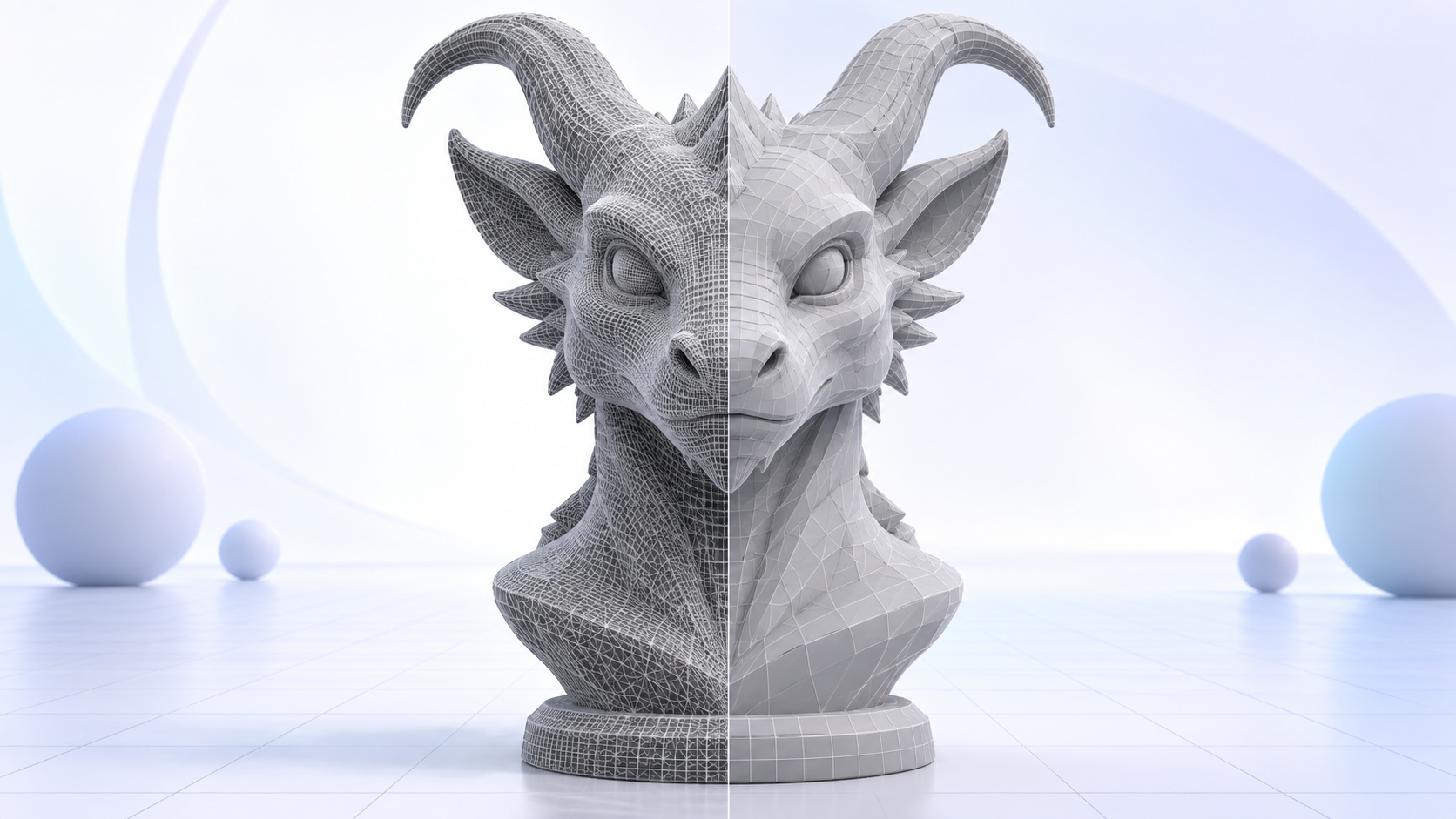 Dense source meshOptimized result
The geometry problem
AI generators, scans, sculpting tools, and asset libraries can produce beautiful models with far more geometry than the final experience needs.
Upload a model →Reduce unnecessary polygon density
Choose a visual treatment or precise target
Create quad-remeshed geometry
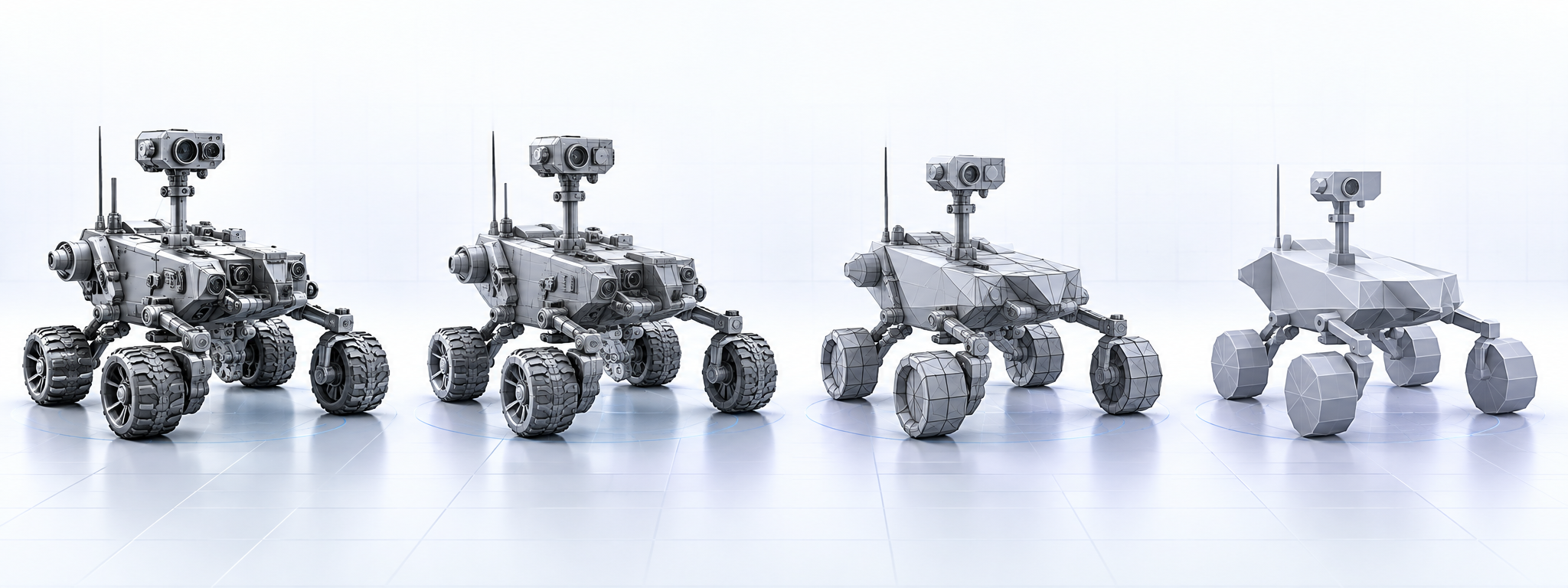
Generate progressively lighter LODs
How it works
A guided workflow that keeps the important decisions visible from upload to download.
01
Bring an OBJ, FBX, GLB, STL, or PLY model into the browser and inspect its geometry before processing.
02
Select Realistic, Stylized, or a custom triangle target. Add remeshing or an LOD package when you need it.
03
See the target geometry, processing credit cost, and available balance before starting the job.
04
LuraMesh repairs the mesh, remeshes when selected, reduces polygons, and generates LODs.
05
Inspect both versions side by side, review the measured geometry, and download the result.
Levels of detail
Use the highest-detail model up close and swap to simpler meshes as the asset moves farther from the camera.
Everything you need
Open and inspect a source mesh before processing. No desktop installation is required.
Compare original and optimized models with clear geometry and file-size metrics.
Use a treatment-based percentage or enter a precise triangle target.
Create cleaner quad-dominant topology for compatible models with AutoRemesher.
Generate progressively lighter runtime versions from the same source asset.
If an accepted processing job fails, the credits charged for it are returned automatically.
Built for your workflow
Create lighter props, environments, and characters for real-time scenes and LOD systems.
Reduce repetitive cleanup before texturing, staging, iteration, or handoff.
Prepare lighter assets for faster downloads and responsive interactive experiences.
Standardize optimization settings across projects and keep processing costs visible.
Pricing
Start free, then choose the capacity and processing priority your projects need.
Custom credits, private API access, dedicated compute, and service-level options.
FAQ
LuraMesh reduces polygon counts, optionally rebuilds topology, generates LOD versions, compares results, and delivers lighter 3D assets.
LuraMesh accepts OBJ, FBX, GLB, STL, and PLY files. Your plan determines the maximum upload size.
Any geometry reduction can affect fine detail. Choose the treatment and target, then compare the original and optimized models before using the result.
Optimization reduces polygon count while retaining the asset closely. Remeshing rebuilds surface distribution and may soften fine details.
Yes. Enable the LOD package option to create progressively lighter runtime versions of the optimized mesh.
When an accepted job fails, LuraMesh refunds the credits charged for that job. Your uploaded source remains available.
Ready when you are
Upload a model, choose the result you need, and create a lighter asset ready for the next stage of your pipeline.
Optimize a model — free →50 free credits · No card required